 Image 1 of 2
 Image 2 of 2
Works with Sony, DJI and iPhone. Built for DaVinci Resolve (free version included), with LUTs for Premiere, Final Cut and CapCut.
You bought the camera and you shot the footage. Then you open it up and it looks flat, grey and kind of lifeless.
So you try a free LUT. Now it’s orange and teal and looks exactly like the last 50 videos you scrolled past.
Your camera isn’t the problem. Your colour is.
This isn’t another preset pack. It’s the exact grade I’ve built and refined on real shoots, now set up so you can use it too.
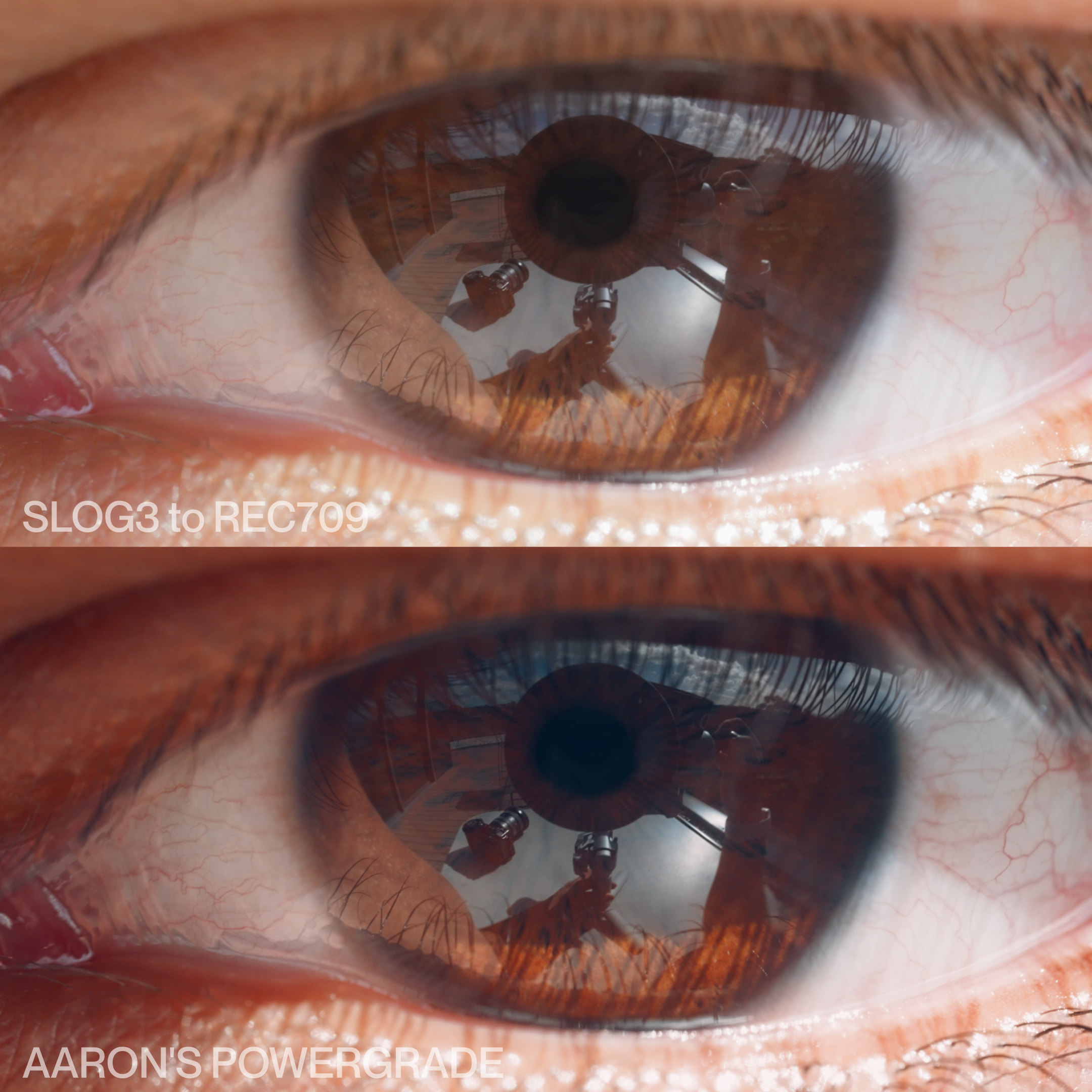
One import, one click, and your footage goes from flat log to something that looks considered, cinematic and expensive. You won’t need to learn colour theory or watch hours of tutorials. You’ll just get footage that finally looks like you meant it.
Most LUT packs chase whatever’s trending. That’s why everyone’s footage ends up looking the same.
This grade was built to be elegant first. It gives you soft highlights, rich but natural skin, and shadows with depth instead of mud. It feels premium without screaming “I put a filter on this.”
The result is footage people stop on because it doesn’t look like anything else on their feed.
1 DaVinci Resolve PowerGrade
Applicable to any camera, including Sony, DJI, iPhone, to name a few. The QuickStart Guide (PDF) that comes with it will explain how to select your camera.
QuickStart Guide (PDF)
A two page cheat sheet that gets you from download to graded clip in under a minute.
1. Import
Drop the PowerGrade into your Resolve gallery, or load the LUT in your editor.
2. Apply
Right click, apply grade, done. The whole look lands on your clip instantly.
3. Adjust (if you want)
Tweak two clearly labelled nodes for exposure and white balance. Everything else is already dialled in for you.
Not shooting log? I have included a basic LUT that gives a very similar look; which you can apply into BlackMagic Camera on your smartphone to record with the LUT immediately; no colour grading or editing required!
Your footage looks flat and you don’t know why
You want a signature look without spending months learning colour grading
You’re a creator, videographer or business owner who wants content that looks premium
You’re sick of your videos looking like everyone else’s
You want to build your own grade from scratch (respect, go for it)
You’re not willing to expose your footage properly in camera. No grade can save bad exposure.
I’m Aaron, founder of AGYP Studios. I film premium brand content for clients, and colour is a huge part of why that work looks the way it does.
I kept telling people to learn colour grading. Most didn’t want to. They just wanted their footage to look good. Fair enough. So I packaged up my grade so you can skip the learning curve and get the result.
Do I need DaVinci Resolve Studio?
No. Everything works in the free version.
I don’t use Resolve. Can I still use this?
Yes. Use the LUTs in Premiere Pro, Final Cut Pro or CapCut.
Will it work on my camera?
If you shoot Sony, DJI or iPhone, there’s a version built for you. Other cameras can still use it with a small tweak, which I cover in the tutorial.
Do I need to know colour grading?
Not at all. That’s the whole point. Apply it, adjust two nodes if needed, and you’re done.
How do I get it after I buy?
You’ll get an instant download link plus access to the video tutorial straight away.
Stop posting flat footage.
For less than the price of lunch, you get the grade I use on paid client work, set up for your camera and ready in seconds.
Get Aaron’s PowerGrade Bundle for just $17